TEAMWORK IN PRACTICE

Different clients.
One connected team.

Some people work in HCL Sametime. Others join from a browser. With Team Sessions, authorized participants share the room's live conversation and the information that moves the work forward.

Explore the scenarios ↓
Real-time messagingShared room informationAccess under your control

EXPLORE THE SCENARIOS

See the collaboration. Follow the story.

A growing collection of fictional examples, illustrated with genuine product captures.

Pick up the room's shared conversation
Exercise coordination

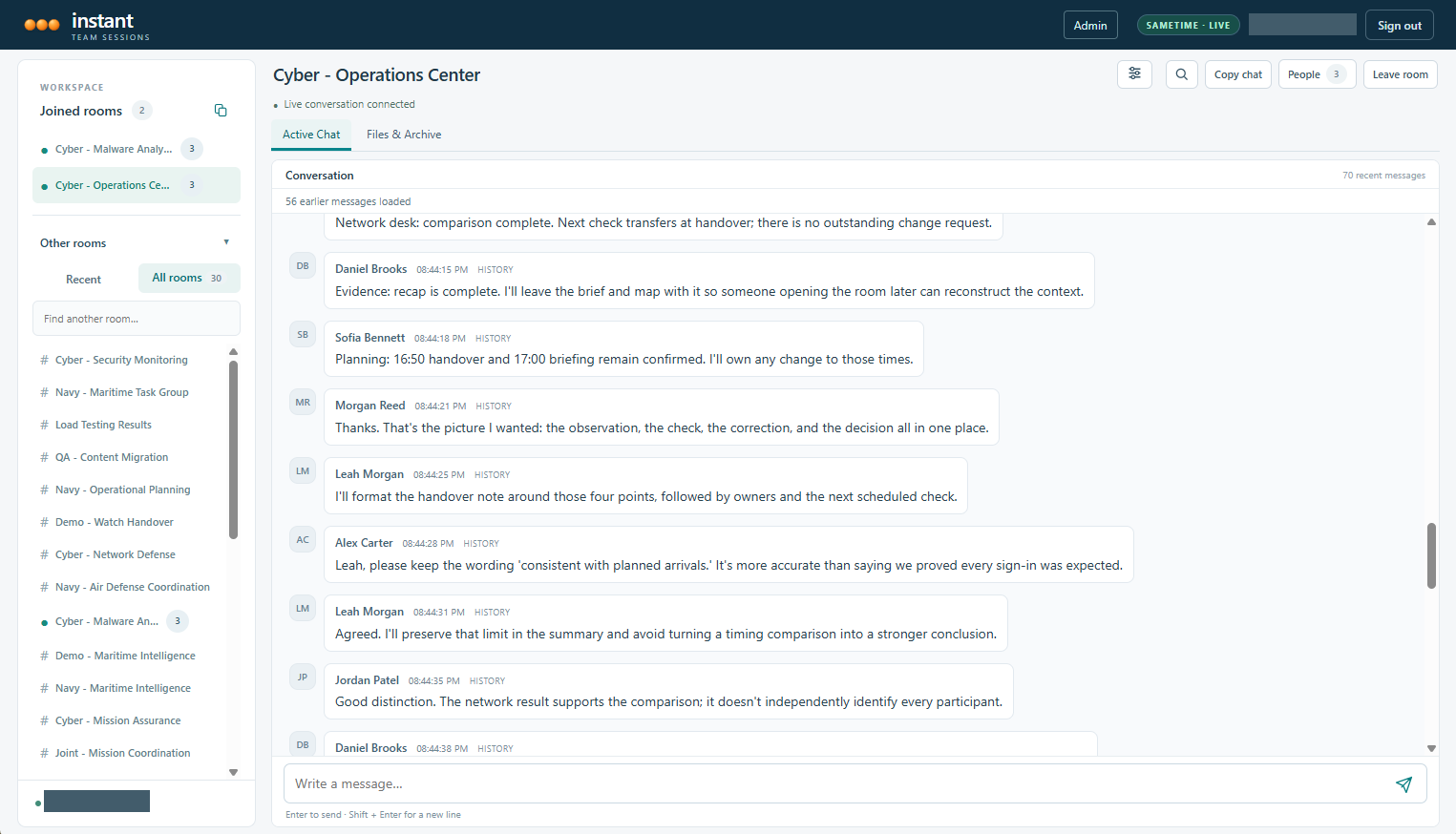
Cyber – Operations Center

From first signal to a confident handover

Six specialists turn a developing observation into a clear decision and a confident handover, with the conversation and its supporting information kept together.

Sametime desktopBrowser clientShared content
Step inside the scenario →
01

Stay in the same conversation

Bring desktop and browser participants into a shared real-time room.

02

Keep useful information close

Connect the discussion to files, notes, bookmarks, and captured history.

03

Carry the context forward

Help the next person understand the decisions, corrections, and open items.

THE TECHNOLOGY BEHIND THE TEAMWORK

A shared room. A connected foundation.

Team Sessions connects the live conversation to the information a team needs to keep working. Desktop and browser participants enter the same collaboration environment.

HCL Sametime Connect
ITS desktop plugin
A modern web browser
Team Sessions Browser Client
One Team Sessions roomHCL Sametime · live messaging and participant awareness
HCL DominoCaptured history · room configuration · files · notes · bookmarks
LIVE COLLABORATION

HCL Sametime

Sametime provides the real-time room messaging and participant-awareness layer. Team Sessions connects desktop and browser participants to that shared live conversation.

TWO CLIENT EXPERIENCES

Desktop and browser

The ITS plugin works inside HCL Sametime Connect. The Team Sessions browser bridge connects authenticated web users to native Sametime rooms, with the room's shared information available alongside chat.

PERSISTENT INFORMATION

HCL Domino

Domino stores room configuration, captured chat history, and shared content. Team Sessions capture services retain the conversation so authorized users can recover context when they return.

CONTROLLED ACCESS

Identity and permissions

Authentication, room permissions, database access control lists, and document-level controls determine what a user can access. Choosing a browser does not bypass the deployment's access rules.

Platform references

YOUR TEAM. YOUR WORKFLOW.

What would connected teamwork look like for you?

Bring a coordination challenge, a handover, or a distributed team workflow. We can walk through how Team Sessions keeps the conversation and its supporting information together.

Talk with us about your scenario →